Network Interface Monitor (PyQt5)
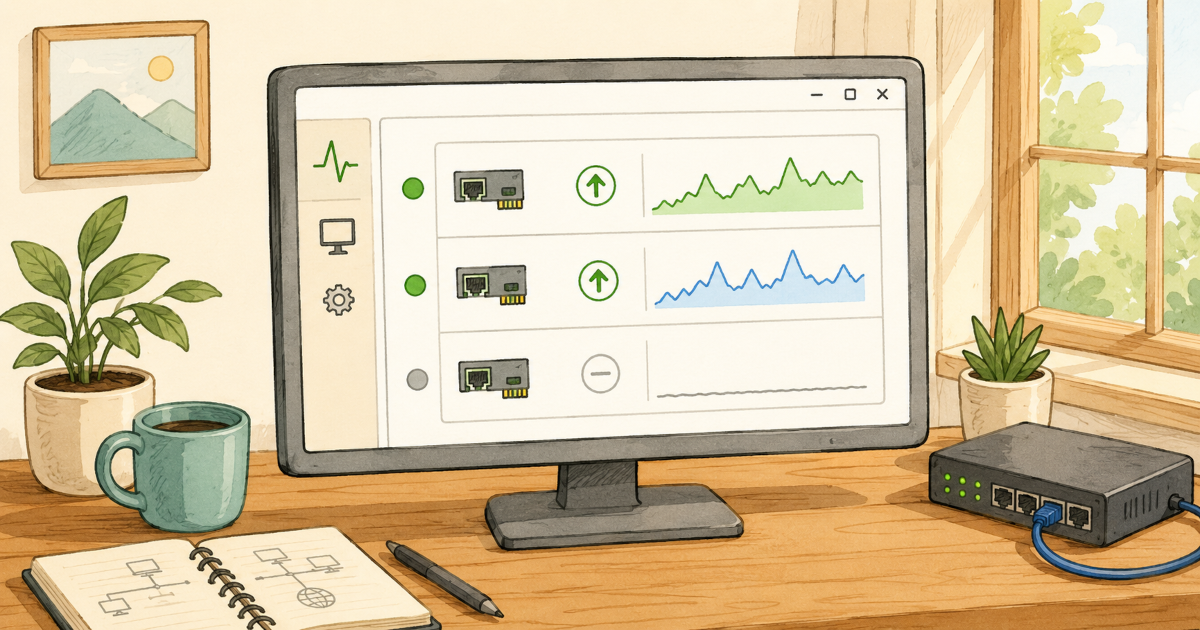
A simple PyQt5 application that monitors and displays the status of physical network interfaces on a machine.
Network Interface Monitor (PyQt5)
Overview
This application uses PyQt5 for the graphical user interface and the psutil library to fetch network interface statistics. It displays the status of physical network interfaces, updating every second.
INFO
Flask version: Network Interface Monitor (Flask)
Feature Highlights
- Real-time Monitoring: The application refreshes the status of network interfaces every second, providing up-to-date information.
- Physical Interface Filtering: It filters out virtual and loopback interfaces, focusing only on physical network connections.
- User-friendly Interface: The GUI is simple and easy to navigate, making it accessible to users of all levels.
Screenshots
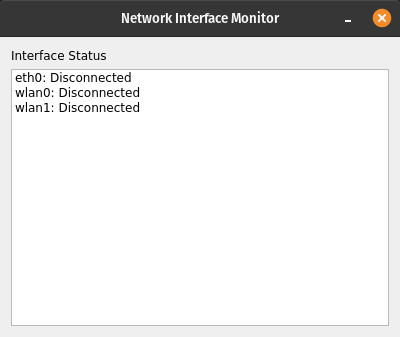
All Interface Disconnected
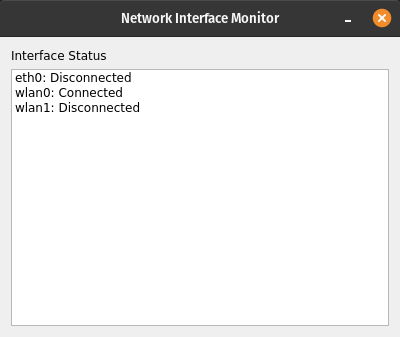
wlan0 Connected
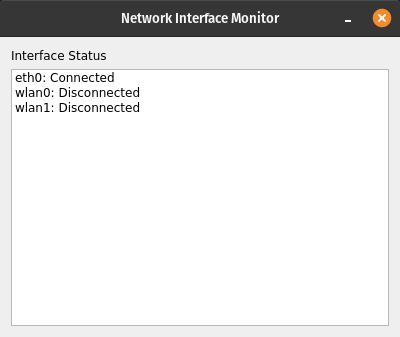
eth0 Connected
Use Cases
- Network Troubleshooting: Quickly identify the status of physical network interfaces to diagnose connectivity issues.
- System Monitoring: Keep an eye on network interface statuses as part of overall system health monitoring.
Technologies Used
- Python: The programming language used for the application.
- PyQt5: A set of Python bindings for Qt libraries, used to create the GUI.
- psutil: A cross-platform library for retrieving information on running processes and system utilization (CPU, memory, disks, network, sensors).
Environment Setup
INFO
Python 3.6 or higher is required. It is recommended to use a virtual environment to manage dependencies.
Install dependencies:
1
pip install psutil pyqt5
Code
1
2
3
4
5
6
7
8
9
10
11
12
13
14
15
16
17
18
19
20
21
22
23
24
25
26
27
28
29
30
31
32
33
34
35
36
37
38
39
40
41
42
43
44
45
46
47
48
49
50
import sys
import psutil
from PyQt5.QtWidgets import (
    QApplication,
    QWidget,
    QVBoxLayout,
    QLabel,
    QListWidget,
    QListWidgetItem,
)
from PyQt5.QtCore import QTimer


class NetworkMonitor(QWidget):
    def __init__(self):
        super().__init__()
        self.setWindowTitle("Network Interface Monitor")
        self.setGeometry(200, 200, 400, 300)

        layout = QVBoxLayout()
        self.list_widget = QListWidget()
        layout.addWidget(QLabel("Interface Status"))
        layout.addWidget(self.list_widget)
        self.setLayout(layout)

        self.timer = QTimer(self)
        self.timer.timeout.connect(self.update_status)
        self.timer.start(1000)  # refresh every 1 second

        self.update_status()

    def update_status(self):
        self.list_widget.clear()
        stats = psutil.net_if_stats()

        # Filter only physical interfaces
        for iface, stat in stats.items():
            if iface.startswith(("lo", "docker", "veth", "br", "virbr", "vmnet")):
                continue

            connected = "Connected" if stat.isup else "Disconnected"
            item_text = f"{iface}: {connected}"
            QListWidgetItem(item_text, self.list_widget)


if __name__ == "__main__":
    app = QApplication(sys.argv)
    window = NetworkMonitor()
    window.show()
    sys.exit(app.exec_())
Running the Application
Run the application using the following command:
1
python main.py
This post is licensed under CC BY 4.0 by the author.